
Never miss a call. Never work alone.
OnCalli is an after-hours management system for contracting and trade service companies — pairing reliable on-call scheduling with a safety check-in system and service requests that connect your customers straight to the right technician.
Features
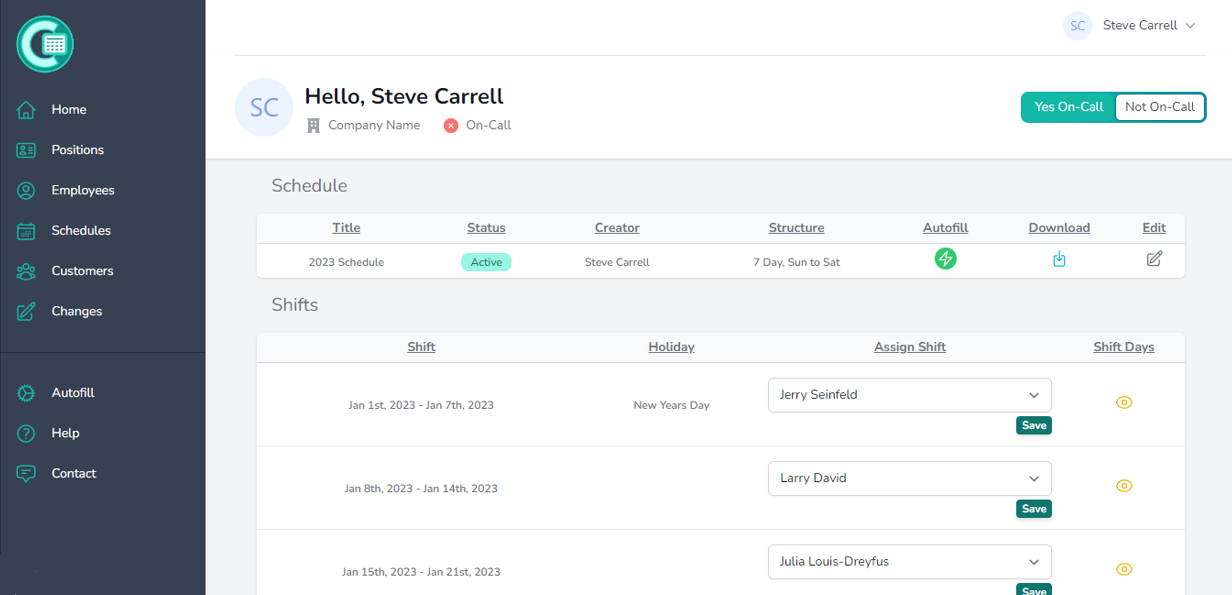
A scheduling foundation you can rely on
OnCalli takes the pain out of the entire on-call scheduling process.
Check out some of our features.
- Autofill Settings.
- The autofill will instantly fill your schedule based on your settings. Omit holidays, assign backups, set shift limits for employees or use the suggested limits feature.
- Automatic Notifications.
- Email and SMS notifications are sent out automatically for all major events. Shift start reminders, unassigned shift alerts, schedule changes and many more.
- Shift Structures.
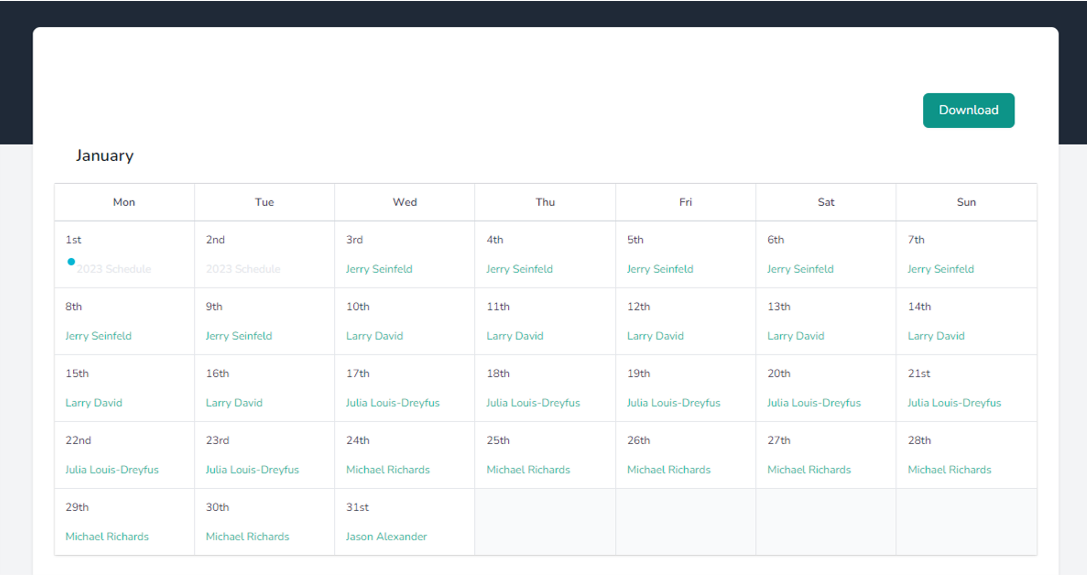
- With a large variety of shift structures to choose from, you can easily test out different styles of schedules that work best for your organization and employees. View
- Office Team.
- Each member of the office team can be assigned permissions that grant them certain functionality so the application does not solely rely on one account holder.
- Seamless Updating.
- Employees have the ability to request a shift or day change right from their account. The schedule will instantly update once approved by an office team member.
- Supervisor Schedules.
- Assign any other active schedule as a supervisor’s schedule. The daily supervisors name will be displayed on the employee account dashboard with contact info.
- Employee Accounts.
- All employees have access to their own account where they can view all schedules that they are assigned to. Mobile apps for Android and iOS coming soon.
- Schedule Duration.
- Select a schedule duration that best suits your needs; quarterly, half or the full year. Overlapping shifts will be added automatically to the schedule for a new year.
- PDF/CSV Downloads.
- Easily download all your schedules if you choose not to provide email or phone numbers. This is also convenient to send to employees who do not use the app.
And much more...
Check In System
Working alone after hours carries real risk. OnCalli's check-in system gives both the field and office team a safety net if something goes wrong on a job site, backed by structured safety checklists that keep hazard procedures front of mind on every call.
-
Starting the check-in
- The check-in starts automatically the moment an employee accepts a service request — no manual step needed.
-
Check-in reminders
- After 2 hours from the initial check-in start, 3 reminders will be sent in 15-minute intervals via email and SMS for the employee to check in.
-
Alert notification
- If the employee has not checked in after 3 hours, an alert notification will be sent to the office team to inform them to contact the on-call worker.
-
Safety action checklists
- Quick yes/no checklists — PPE, lockout/tagout, fall protection, confined space entry and more — a few taps between jobs, with a reminder if one gets missed.

Employee Availability Status
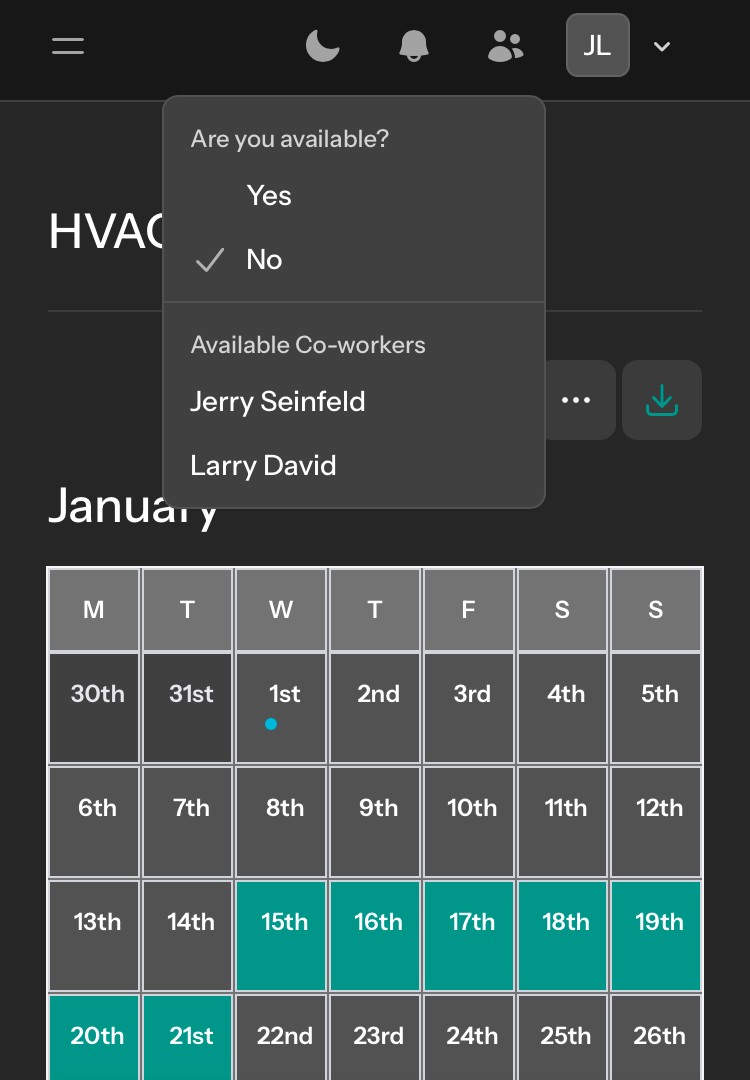
Working alone after hours can be difficult without the support of a team. All employees now have the ability to indicate if they are available to help out. This feature prevents the on-call worker from second guessing themselves about reaching out for assistance.
-
Available
- All employees can set themselves as available to help out at any time. This gives the on-call worker another option for support when needed.
-
Unavailable
- When a co-worker is set to unavailable, a periodic notification will be sent to ask them if they are willing to be available to help out.
Now Live
Service Requests
Property managers submit service requests straight to your on-call team — no more relaying the message through a separate answering service. Everything from first call to completed job lives in one place.
-
Request comes in
- A property manager submits a request and it's routed straight to whoever is on-call — no phone tag, no missed messages.
-
Live chat & status
- Field and customer stay in sync with real-time status updates and chat, so nobody's left wondering what's happening.
-
Dispatch & complete
- Requests can be reassigned any time, and every completed job is logged for a clean, auditable record.
Beyond Scheduling
Compliance and accountability, built in
Three more tools that keep your operation safe, current, and easy to prove out to your customers.
Safety Action Checklists
Quick, trade-specific checklists — PPE, lockout/tagout, fall protection, confined space entry and more — that clear in seconds and don't slow down the job, with an SMS reminder if one gets missed.
SOP Acknowledgement
SOPs recur on whatever cadence you set — daily to annually — with a reminder that won't let go until it's acknowledged, and a live dashboard showing exactly who's up to date.
Contractor Hub
Field staff log completed service calls by trade and equipment, building a reviewed, approved record your property manager customers can see.
Customer Posting Board
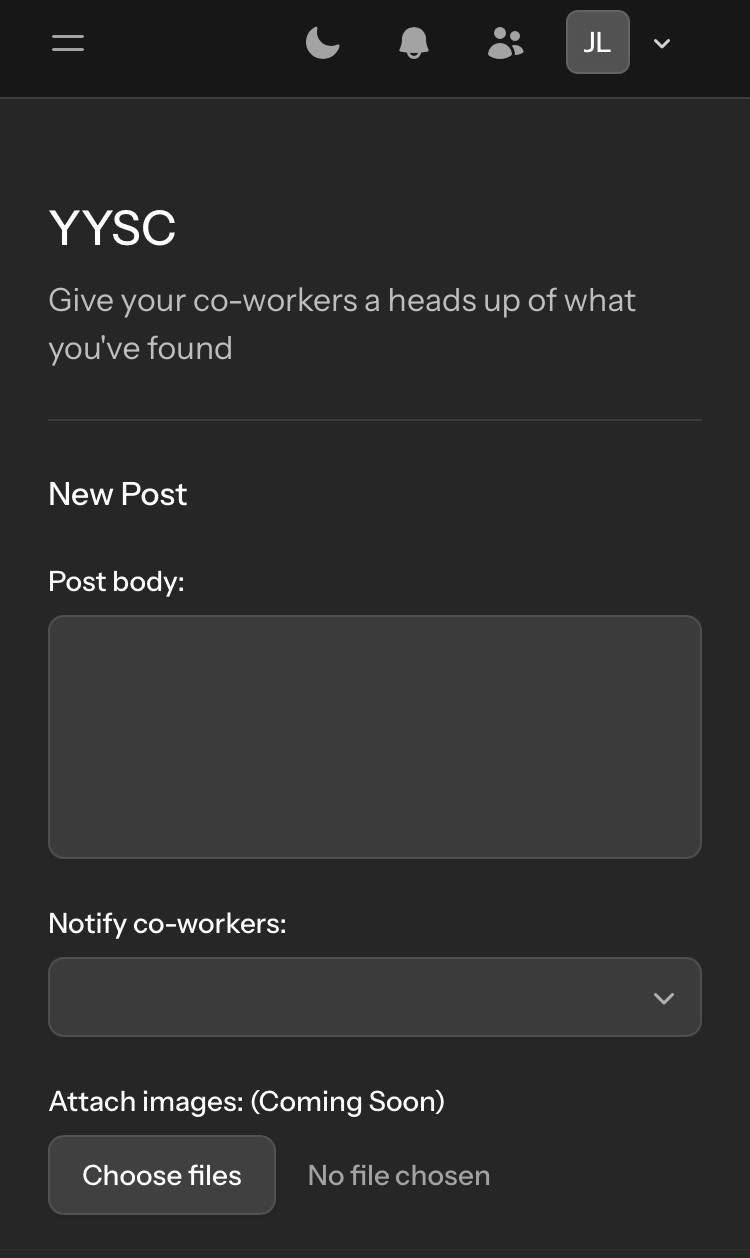
It can be frustrating to get called out in the middle of the night for an issue that has already been addressed. Employee’s can now give their fellow co-workers a heads up of any ongoing issues for a specific customer whether it’s regular or after hours.
-
Creating a post
- Posts can be created at any time to keep everyone involved up to date with any ongoing issues to prevent repeated efforts.
-
Notifying co-workers
- Select multiple co-workers when creating a post to be notified. A notification will be sent that they have been mentioned in a new post.
-
Editing a post
- Made a mistake or need to add more detail? Posts can be edited any time to keep the whole team working off accurate information.
Chat Messaging System
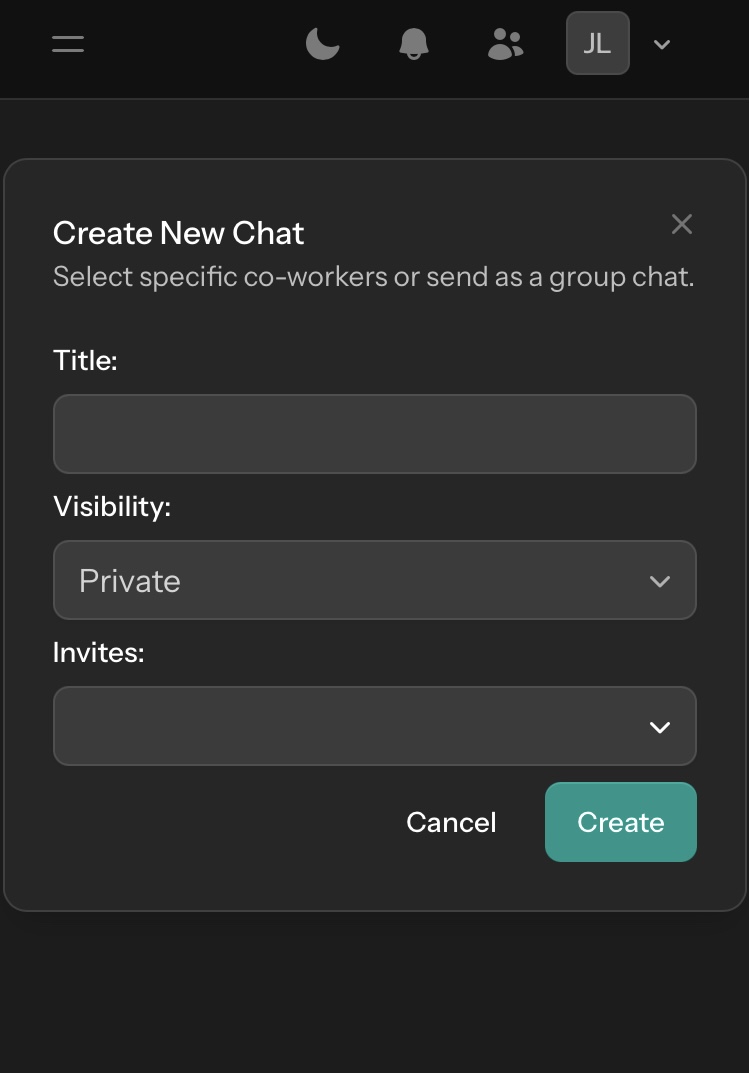
Communication is important for any dynamic service provider and sometimes having separation from office and field staff is necessary. Employees can create public or private chats for instant messaging for the option to involve those who are relevant to the matter.
-
Public chats
- Public chats are available for all employees to participate in. Great for specific topics that require both office and field employees.
-
Private chats
- Any employee can create a private chat and invite specific co-workers. This is ideal for matters that may be sensitive.
Shift Structures
Don't see your shift structure? Register to our standard plan and send us what your structure is so we can add it.
- Monday to Friday
- 5 Day
- Saturday and Sunday
- 2 Day
- Monday to Thrusday
- 4 Day
- Friday to Sunday
- 3 Day
- Monday to Sunday
- 7 Day
- Tuesday to Monday
- 7 Day
- Wednesday to Tuesday
- 7 Day
- Thursday to Wednesday
- 7 Day
- Friday to Thursday
- 7 Day
- Saturday to Friday
- 7 Day
- Sunday to Saturday
- 7 Day
- Monthly Schedule
- Monthly
Start using OnCalli today.
Take one more task off your to do list and build your schedule in minutes. Our goal is to make the entire on-call process exceptionally easy for both managers and employees.
- Instant Access.
- Employees log in and can view any schedule they are on and their shifts.
- Secure Connection.
- Our SSL certificates and annual security audits ensure your information is safe.
- Schedule Backups.
- Each schedule is backed up for extra caution to keep your peace of mind.
Choose your plan
Enjoy a 30 day free trial.
Cancel anytime. All prices in CAD.
Basic
This option takes care of the entire on-call scheduling process. Spend just minutes creating your on-call schedule.
$
Register Now- Up to 25 Employees
- Individual Employee Accounts
- Automatic Notifications
- Chat Messaging System
- Employee Availability Status
- Customer Posting Boards
Standard
Additional features to improve the health & safety of your operation. Non intrusive safety auditing interaction.
$
Register Now- Up to 25 Employees
- Answering Service Integration
- Employee Check-in System
-
Ai Safety Buddy Coming Soon
-
SOP Generator Coming Soon
- Email Support
Premium
Add the service request system with live monitoring of your schedules with an easy-to-use interface for your customers.
$
Coming Soon- Up to 25 Employees
- Service Request System
- Ai Dispatcher Mode
- Language Translator
- Request Balancing
- Priority Support
Answering service
Don't completely trust Ai? Add a dedicated technical dispatcher. Select regions apply.